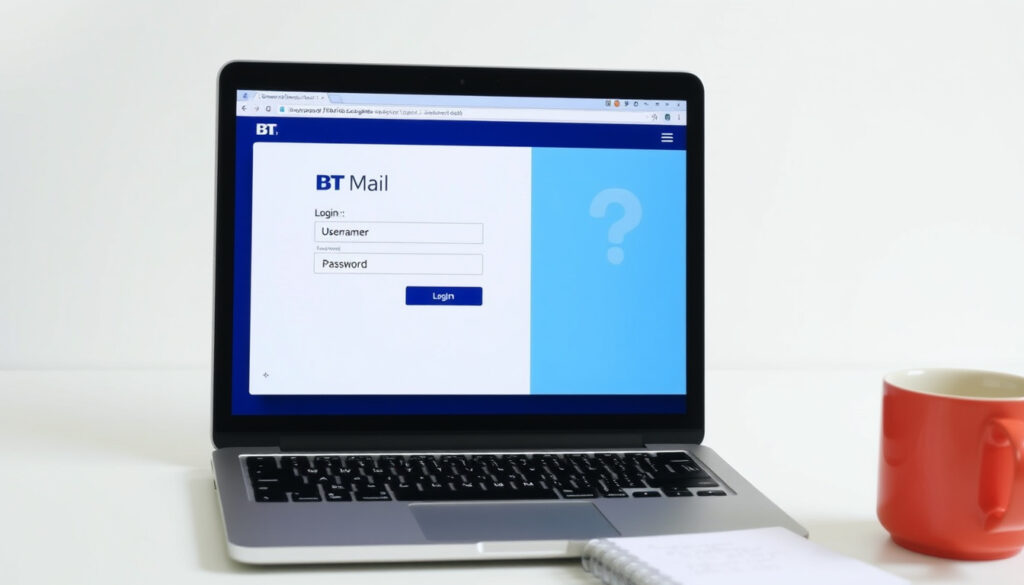
BT Mail Login Page – How to Log In and Fix Common Issues
Getting into your BT email account should be straightforward, but many users encounter roadblocks when trying the BT mail login page. Whether you’ve forgotten your password, the page refuses to load, or the app won’t connect, the problem usually has a simple cause. This guide walks through every official method to log in, common issues, and how to fix them using verified information from BT’s own help pages.
BT email login problems typically stem from incorrect login details, a forgotten password, browser or app glitches, account lockouts, or temporary service issues. The fastest fix recommended by BT is to visit email.bt.com and carefully re-enter your email address and password. If that fails, the “Forgotten log-in details?” option is the next step.
This article consolidates the official login steps, troubleshooting for the most frequent errors, password recovery procedures, and mobile access tips. All information is drawn from BT’s official help pages and community discussions.
How do I log into my BT Email account?
Web, app, and shortcut access points.
Page not loading, incorrect credentials, browser problems.
Step-by-step recovery for forgotten passwords.
Logging in on smartphones and tablets via the BT Email app.
- Most users land on the official help page but still struggle due to outdated bookmarks.
- The BT Email app is the most reliable method for mobile users.
- Many login issues stem from browser cache or expired session cookies.
- Password reset requires access to recovery email or phone number – a common pain point.
- Incorrect email address or password is the most common cause of login failure.
- Account lockouts occur after multiple failed attempts and are usually temporary.
| Fact | Value |
|---|---|
| Official login URL | email.bt.com |
| BT Email app | Available on Android and iOS |
| Supported browsers | Chrome, Firefox, Safari, Edge |
| Password reset contact | BT Email help line or online form |
| Account lockout duration | Short time (exact duration not specified by BT) |
| BT ID vs email password | May differ even if the address is the same |
| Email addresses per BT ID | Multiple can be created |
| Supported third‑party apps | Outlook, Apple Mail, Thunderbird (via IMAP/POP3) |
To start, go to email.bt.com and enter your full email address and password. BT advises checking that Caps Lock is off and that you are using the correct email address. If you cannot remember your credentials, use the “Forgotten log-in details?” link on the page.
For a quicker path on mobile, download the official BT Email app from the Google Play Store. The app is also available for iOS. Logging in through the app uses the same email and password as the web interface.
Why is the BT mail login page not working and how to fix it?
How do I fix common BT email login issues?
When the login page fails, BT’s first suggestion is to verify that you are on the correct site – email.bt.com – and that your email address and password are entered exactly. A common mistake is entering the BT ID password instead of the email password, as BT notes these can be different even if they share the same address.
If the page does not load at all, try a different browser. BT’s support material recommends Firefox, Edge, or Brave if Chrome is causing trouble. Clearing cookies and browsing data also resolves many session‑related glitches. A community video tutorial demonstrates clearing browser data for BT email login.
If the BT mail login page fails to load, delete your browser’s cookies and cached data, then restart the browser. If the problem persists, switch to a different browser entirely.
What causes BT email login to fail?
According to BT’s official help page, repeated failed login attempts will temporarily lock the account. The lockout is short, but during that time no login is possible. A suspended or compromised account will display an error message with instructions. BT says compromised accounts may be secured automatically, requiring a password change and on‑screen steps.
How to clear browser cache for BT email login?
Clearing browser cache removes stored data that may be outdated. In Chrome, go to Settings > Privacy and security > Clear browsing data. Select “Cookies and other site data” and “Cached images and files,” then clear. Repeat the same process in other browsers. After clearing, try logging in again at email.bt.com.
How do I reset my BT email password?
How do I recover my BT email account?
BT directs users who have forgotten their password to visit bt.com/email and click “Forgotten log-in details?”. The system then guides you through secure steps to reset the password. You will need access to the recovery email address or phone number linked to your account. If you no longer have access to those, contacting BT or using the online help centre is required.
After changing your BT email password, you must update it on every device and email app you use. BT warns that failing to do so will cause login failures on those devices.
What to do if forgot BT email password?
Use the “Forgotten log-in details?” link on the BT email login page. Enter your email address and follow the recovery flow. If you are also locked out of your recovery options, BT’s support line can help verify your identity and issue a reset.
How long does BT email password reset take?
BT does not specify an exact duration for the reset process. Based on official instructions, the secure steps are completed online in a few minutes if you have your recovery information ready. Without it, the timeline depends on contacting BT support.
For detailed steps, refer to BT’s dedicated guide: I need to change or reset my BT email password.
When did BT update the email login page and what issues have been reported?
- 2024 – BT updated the email login page design.
- 2025 (ongoing) – Users report login issues with the new interface.
- 2025 (September) – A community thread on the BT Community Forum confirms ongoing access problems.
Some users report intermittent access to the BT mail login page, possibly due to server updates. BT’s official status page is not always updated immediately, so community threads can provide timely information.
What is certain and what remains unclear about BT email login?
| Established information | Information that remains unclear |
|---|---|
| BT Email login is available at email.bt.com | Some users report intermittent access due to server updates. |
| Password reset can be done online if recovery info is available | Without recovery access, contacting BT support is required. |
| App login works on Android / iOS | App may require the latest OS version for full functionality. |
Why do BT email login issues persist?
BT Email remains a widely used service, but login difficulties are a recurring topic. Changes in authentication methods and browser security updates often cause friction. The official BT documentation covers basic steps but lacks advanced troubleshooting for specific error codes or mobile‑only scenarios. This guide consolidates the available official advice to fill that gap.
Browser updates, cookie policies, and account security measures all contribute to login failures that are not always immediately obvious. BT’s community forum shows that users continue to encounter the same problems months after the interface redesign.
What do official BT sources say about email login?
Log in to your BT Email account to read and manage your emails. Log in online or download the BT Email app.
BT Help – Email Login
Go to email.bt.com and enter your email address and password.
BT Help – Log‑in Issues
The problem must lie with your email account. You will need to contact BT.
BT Community Forum
What is the quickest way to resolve BT email login issues?
Start by trying email.bt.com in a browser. Double‑check your email address and password, turn off Caps Lock, and use the “Forgotten log‑in details?” link if needed. If the browser works but an app does not, update the saved password in the app. For ongoing difficulties, check BT’s service status or wait out a temporary lockout. For more details, see BT’s official guide: Need help logging in to your BT email.
Frequently asked questions
How do I sign up for BT Email?
You can sign up for BT Email by visiting the BT website and following the registration process. Note that BT Email is typically included with BT broadband packages.
What is the BT email login shortcut?
A common shortcut is to bookmark email.bt.com or use the BT Email app for quick access. There is no system‑wide keyboard shortcut.
How do I log into BT email on my mobile device?
Download the BT Email app from the Google Play Store or Apple App Store, then sign in with your BT email address and password.
How do I access BT mail if I use Gmail?
You can configure Gmail to fetch BT emails via POP3/IMAP. BT provides server settings for email forwarding or third‑party client access.
What are common BT email login error codes?
Common errors include “Your account is temporarily locked”, “Invalid credentials”, and “Session expired”. Detailed fixes are covered in the troubleshooting section.
More related posts
 EasyJet Customer Service Number Free 0800 – Official Numbers and Tips
 1 cup sugar in grams – Complete conversion guide for bakers
 Eartha Kitt – Biography, Catwoman Role, and Lasting Legacy
 Adewale Akinnuoye-Agbaje – Career, Movies and Family Facts
 What Is Flucloxacillin Used to Treat – Uses Dosage Side Effects
 Cast of the Garfield Movie – Full Voice Actors and Roles
 Sally Phillips – Biography, Career and Personal Life
 Teddy Swims Tour UK – 2026 Dates, Tickets and Venues